Every platform publishes a year-end review, but WeChat never has, for privacy reasons. In January 2022 my friend Li Haorui and I made our own: read the WeChat database on a phone, count up a year of chats with each friend, and generate a review that belongs to just the two of you, sent as a New Year greeting.
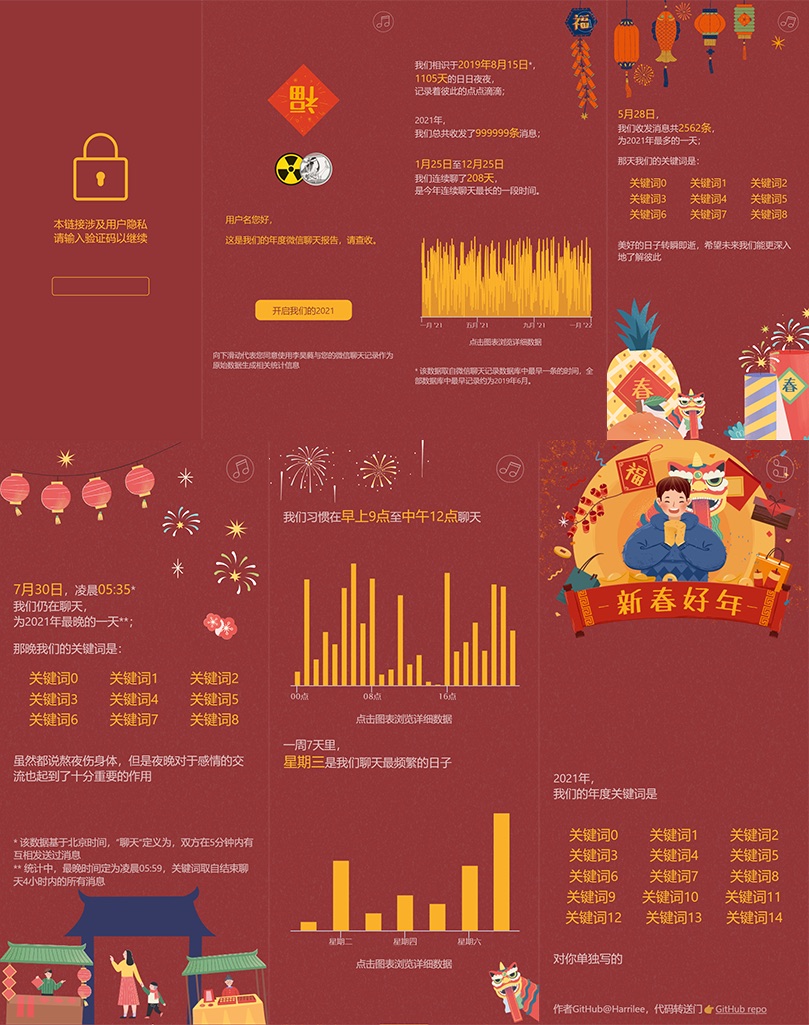
What it looked like, with sample data.
What’s in a review
- the day we started chatting, and how many messages we sent each other this year;
- the longest streak of days we talked;
- our busiest day, and that day’s keywords;
- the latest we chatted all year;
- what time of day and which day of the week we talked most;
- our keywords of the year;
- and a greeting I wrote for that person.
Each review needs a passcode to open, because it’s built from two people’s conversations.
How it was built
- Get the data: export WeChat’s local database from the phone. It’s encrypted and has to be opened with SQLCipher;
- Process it: count everything per friend with Python and Pandas. Chats contain lots of special messages, like quoted replies and “pats”, which have to be parsed first. That part was mine;
- Write the greetings: one short message per friend, by hand;
- Generate passcodes, then deploy the front and back ends.
The front end is a series of React screens, and the back end is Flask. It started as Li Haorui’s project for an information visualisation course, and we turned it into a version you could send to lots of people.
Deploying to Azure
I had just become a Microsoft student ambassador and had Azure credits, so we put it on Azure. The front end ran on Azure Static Web Apps and the back end on Azure App Service, with Azure Functions connected to a database, which took me a long time to get working.